
SpaceSift
Get your iPhone storage back. Keep the photos that matter.
Photo and video cleanup for iPhone and iPad.
Photo libraries get bloated fast. Duplicates pile up, burst shots stick around, old screenshots never get deleted, and videos quietly eat up gigabytes.
SpaceSift scans your library and surfaces what you can safely remove. Duplicates, near-identical shots, blurry images, old screenshots, and large videos. You review everything before anything gets deleted, and iOS keeps it all in Recently Deleted for 30 days just in case.

- 100% on-device
- No cloud uploads
- No tracking
- No accounts
- Buy once, own forever
- No subscriptions
How it works
Three steps. That's it.
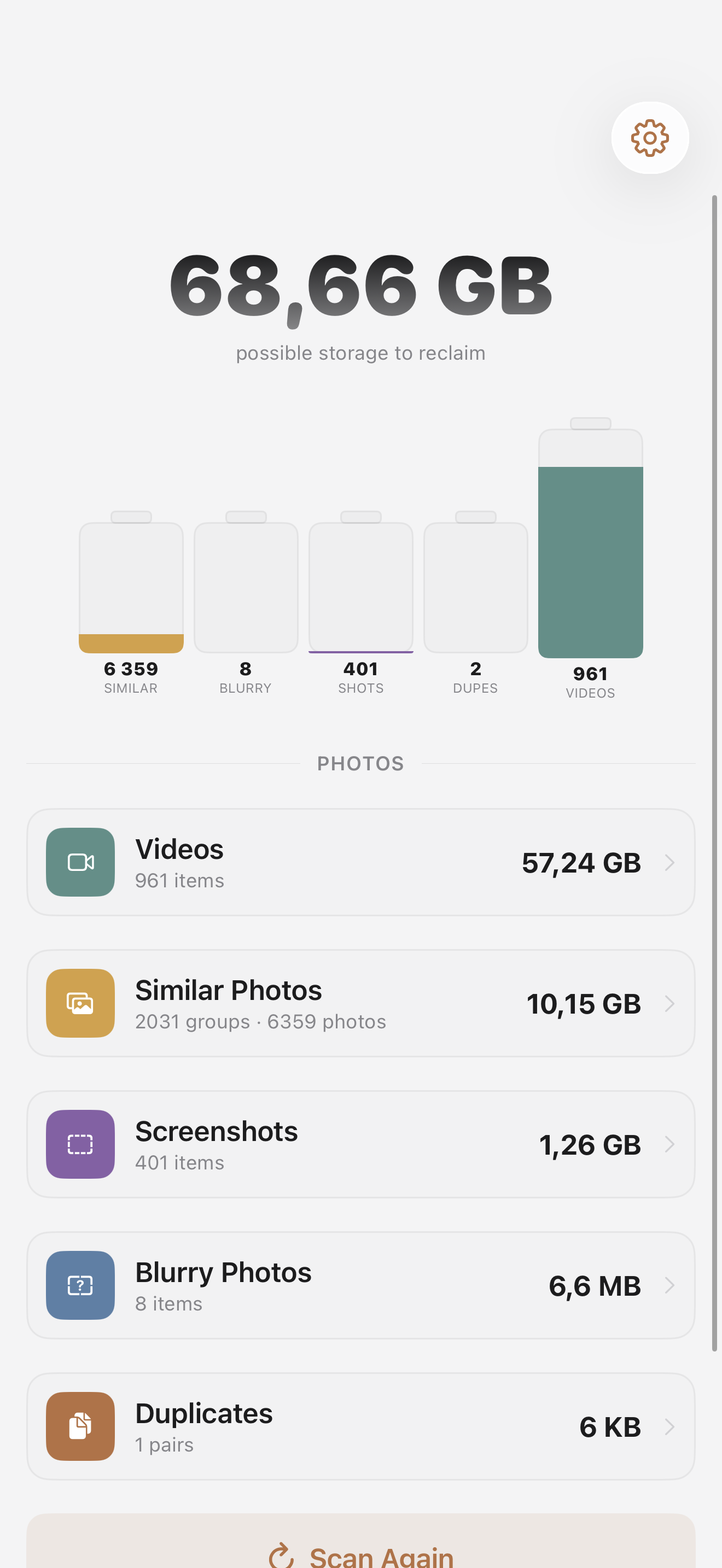
Scan your library
SpaceSift looks through your photos and videos right on your device. It picks out duplicates, similar shots, blurry images, screenshots, and the videos taking up the most space.
Review and decide
Look through photo groups side by side. The best photo is pre-selected, but you make the final call. Browse videos sorted by size and pick the ones you no longer need.
Free up your space
Deleted photos and videos go to Recently Deleted, giving you 30 days to recover anything you regret. The dashboard shows how much space you've gotten back.
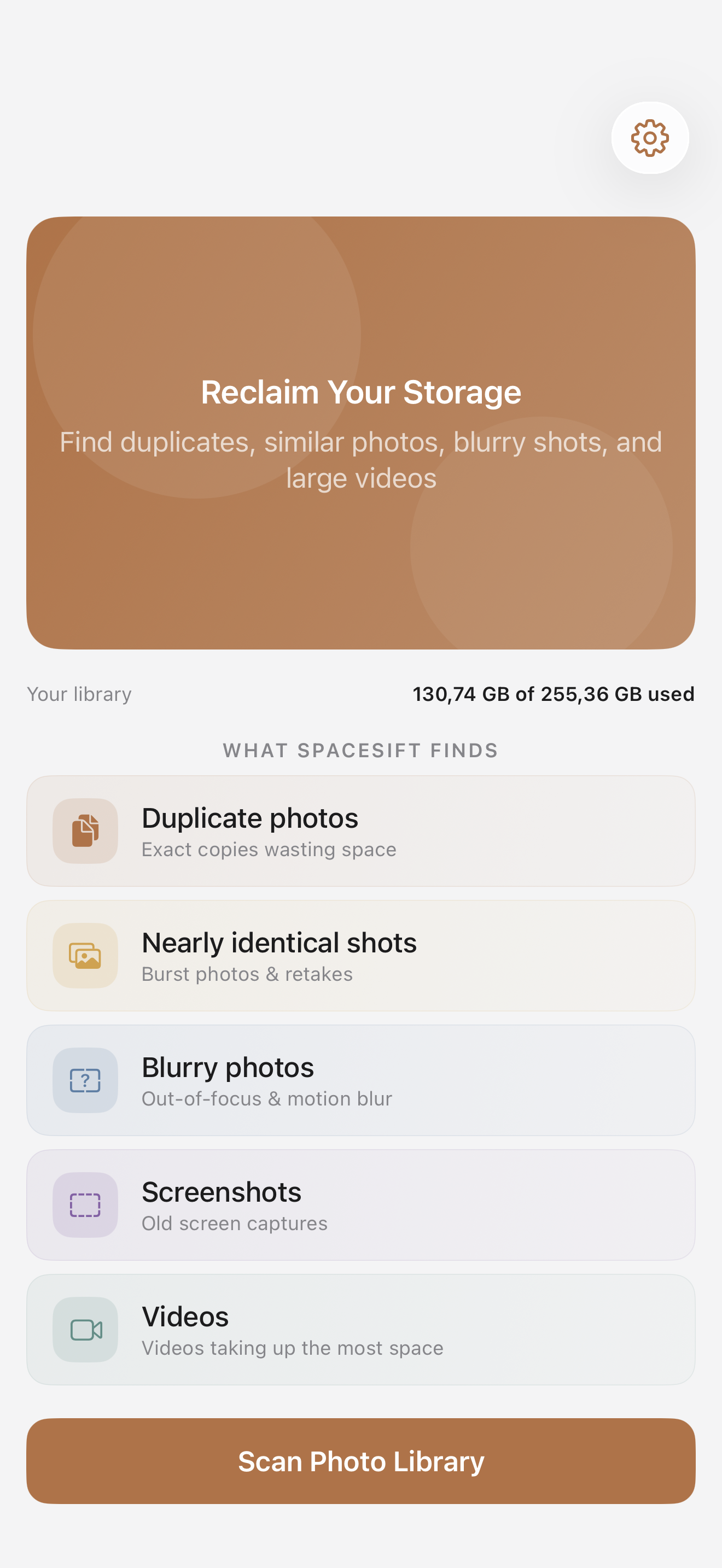
Five kinds of clutter, one scan
SpaceSift catches duplicates, similar photos, blurry shots, screenshots, and large videos. Each category tells you how much space you'd get back, sorted by size.
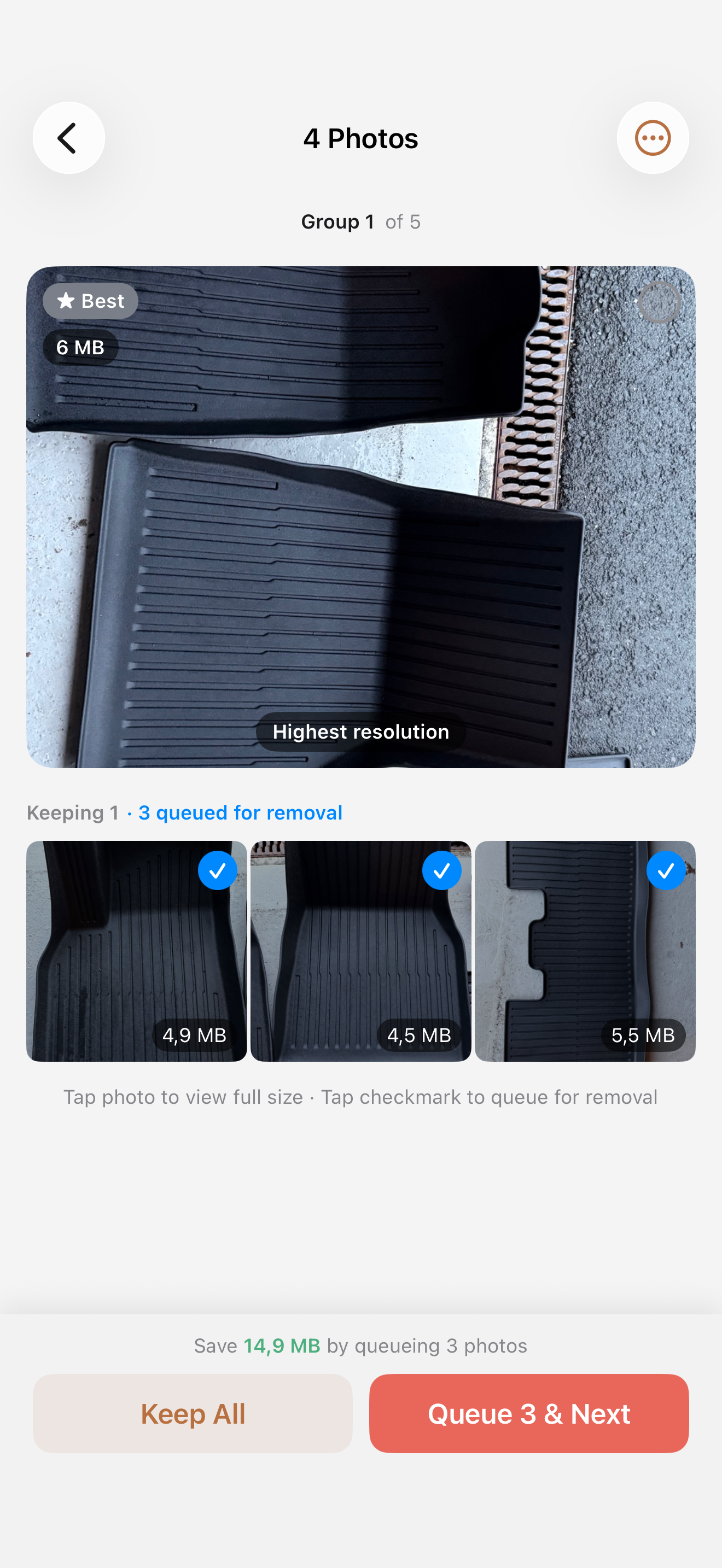
You decide what stays and what goes
Nothing gets deleted without your say-so. SpaceSift pre-selects the best photo in each group, but you can override any suggestion. Swipe through, compare side by side, and keep whatever you want.
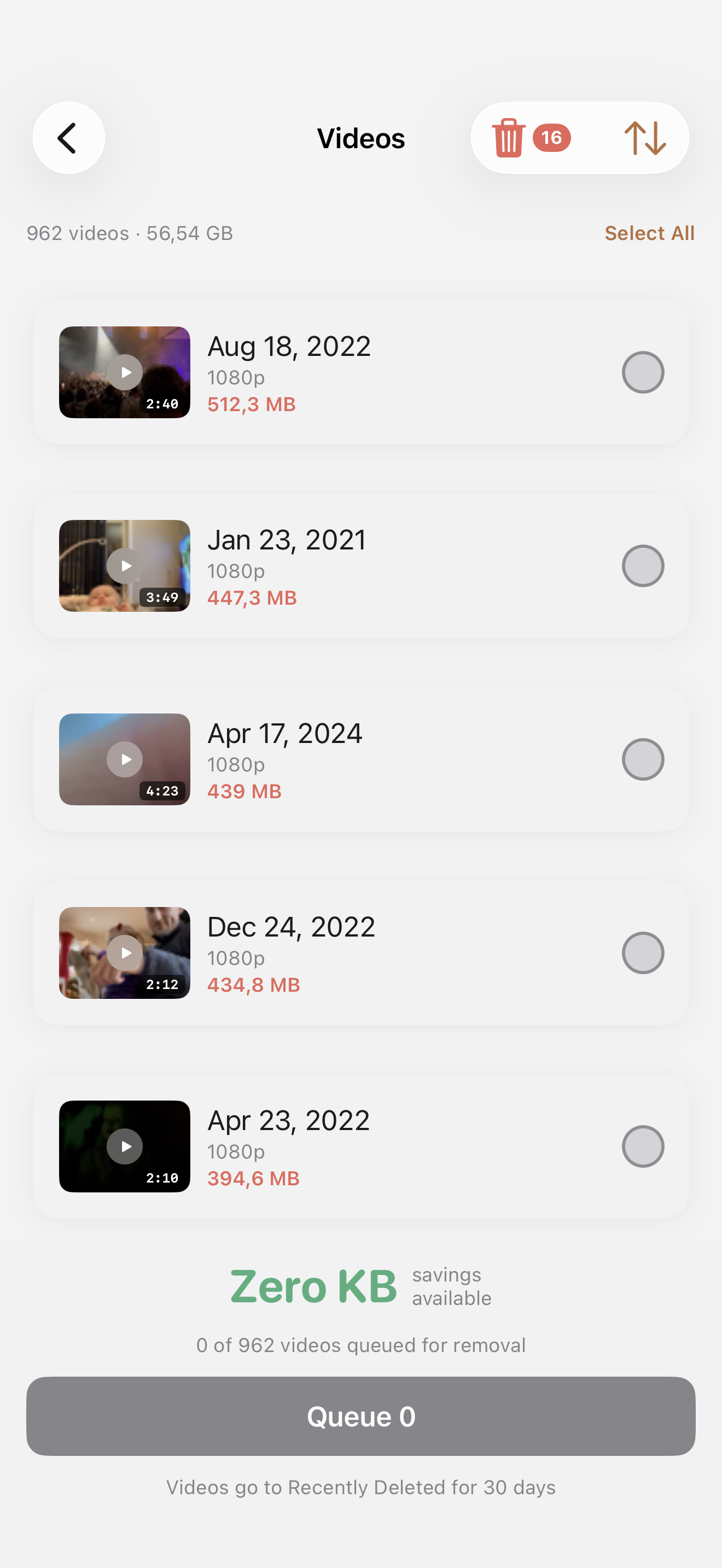
Videos are usually the biggest space hogs
SpaceSift lists all your videos sorted by file size so you can spot the ones eating the most storage. Select the ones you don't need and queue them for removal in one go.
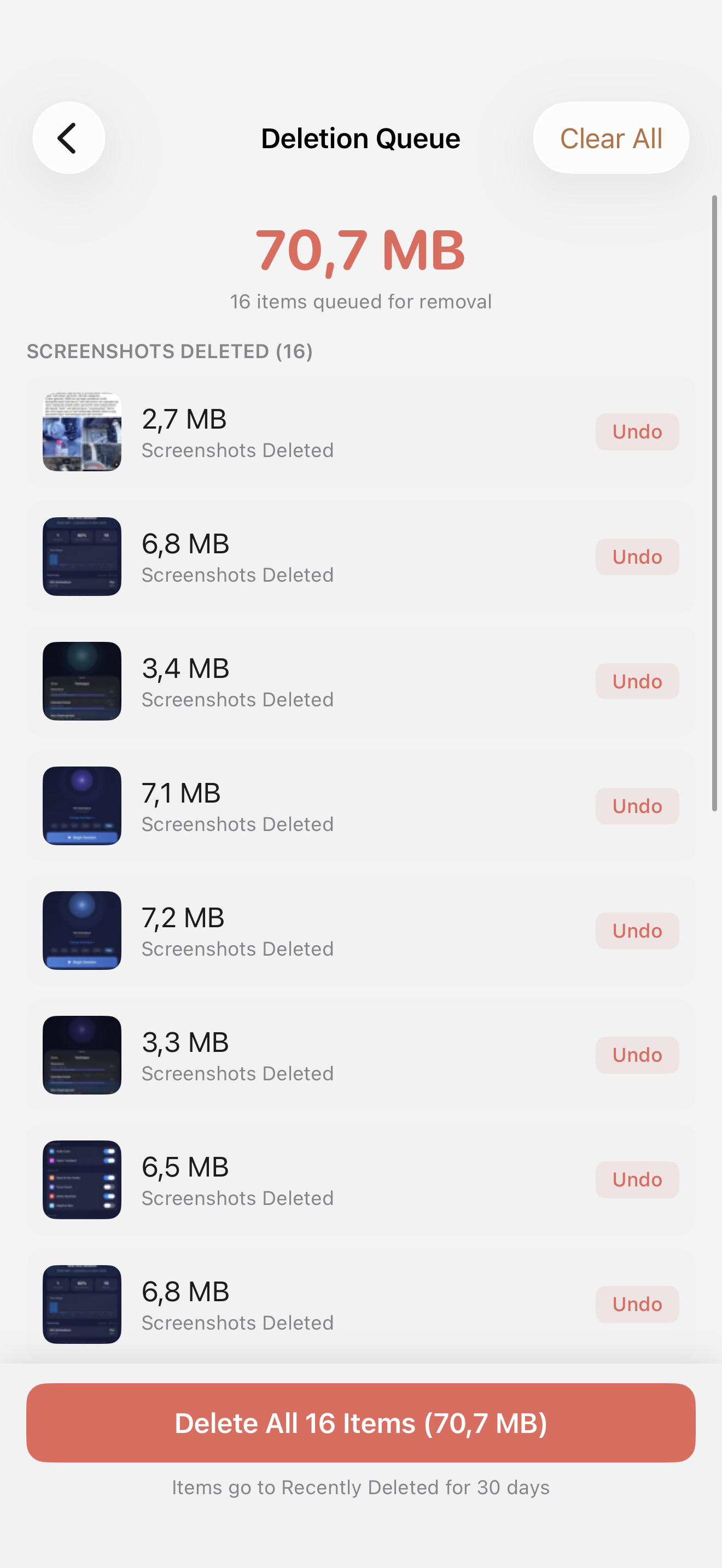
Review everything before it's deleted
Every item you queue goes to a deletion list first. You can undo individual items or clear the whole queue. Nothing is permanently removed until you confirm, and even then iOS keeps it in Recently Deleted for 30 days.
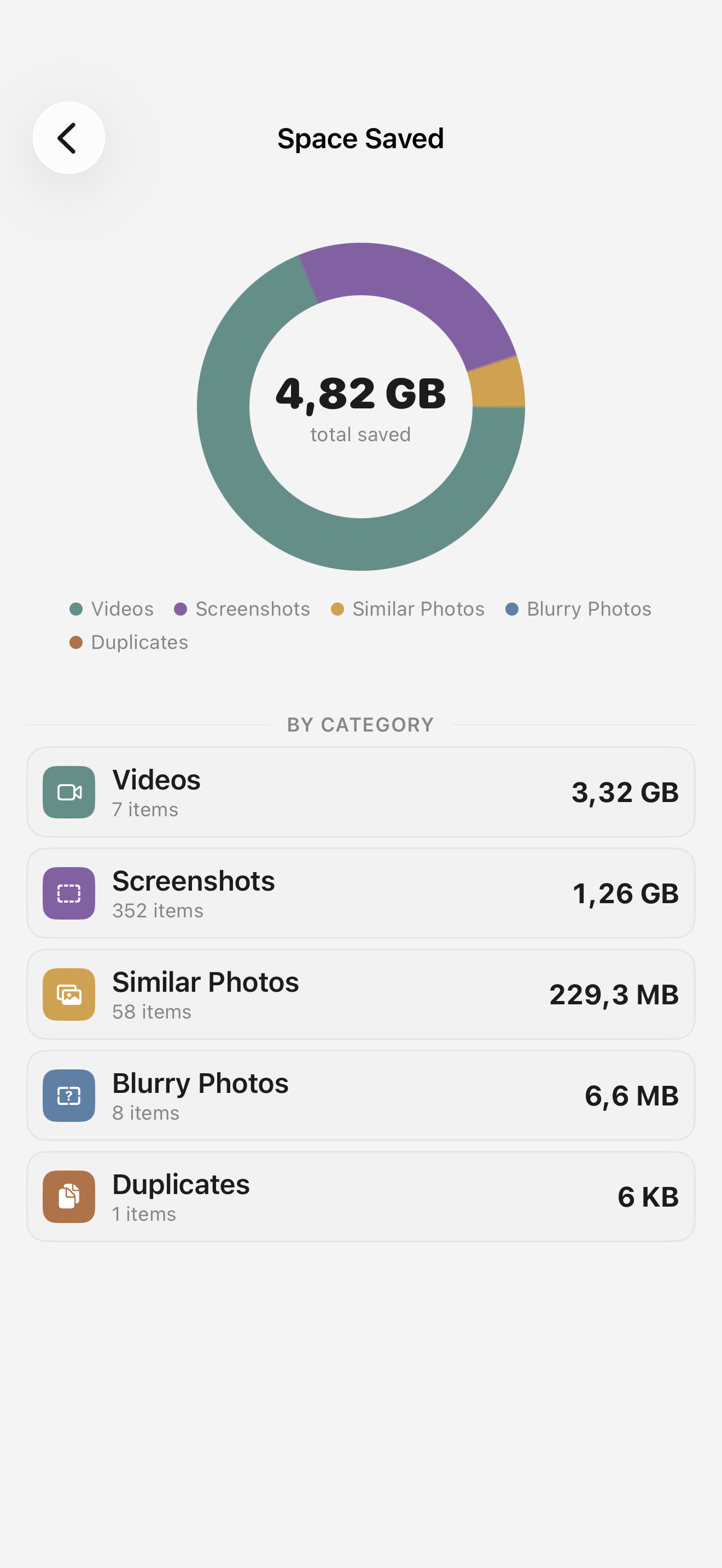
Watch your free space grow
The Space Saved screen tracks every cleanup with a breakdown by category. See exactly how much storage you've reclaimed from videos, screenshots, similar photos, and more.
There's more to it
Undo safety, tracking, and picking up where you left off.
Undo anything
Every queued item can be undone before you confirm. Even after deletion, iOS keeps everything in Recently Deleted for 30 days.
Space savings tracker
The dashboard keeps a running total of how much storage you've freed up over time. It updates after every cleanup.
Session recovery
Got interrupted? Your progress is saved automatically. Come back later and pick up right where you stopped.
Your photos never leave your device
All the scanning and analysis runs locally using Apple's on-device frameworks. Nothing gets uploaded, shared, or sent anywhere. There are no accounts, no analytics, and no third-party tracking. Your photo library stays on your phone.
Read the privacy policyGet your storage back
Buy once, own forever. No subscription. No ads.